FAQ & Troubleshooting
Common questions, known issues, and how to get help.
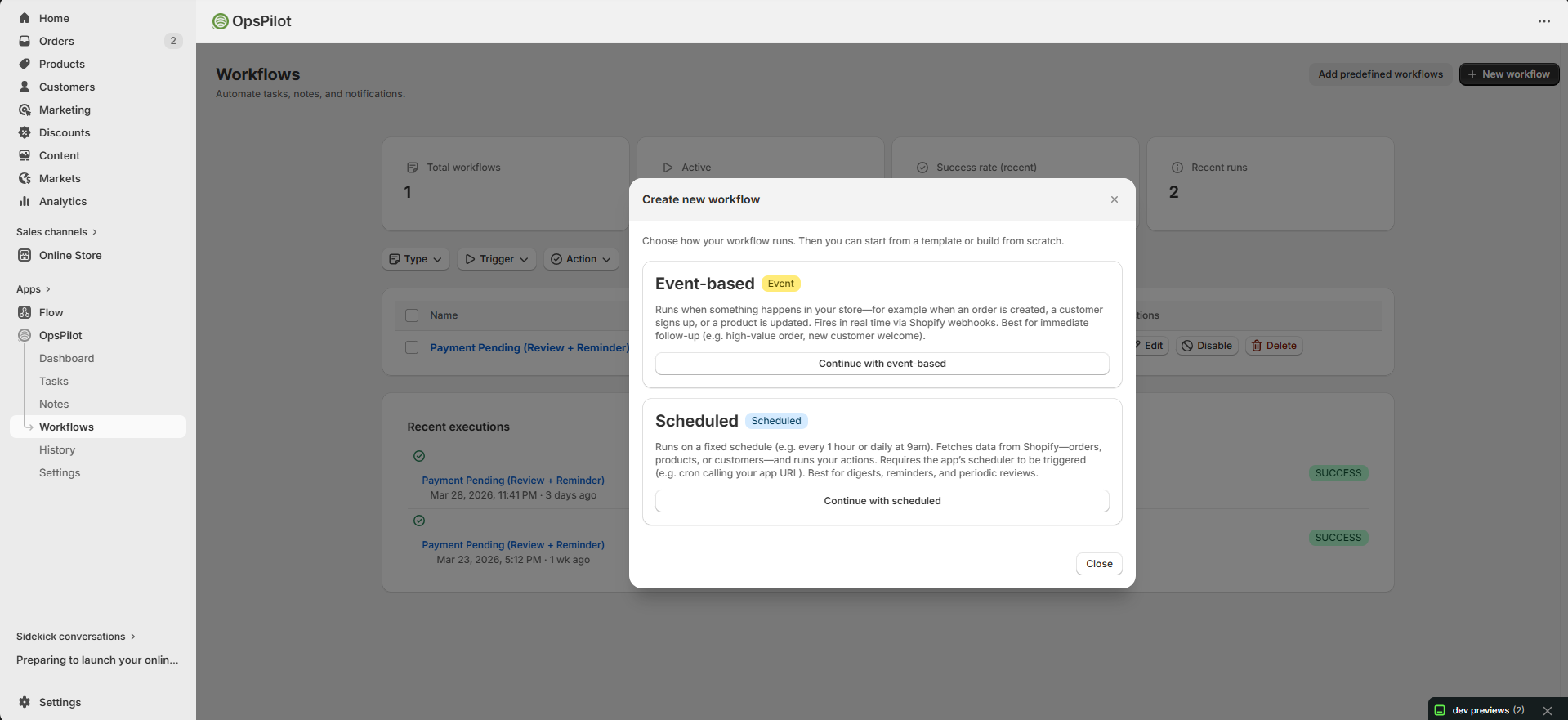
FAQ covers choosing between event-based and scheduled workflows.
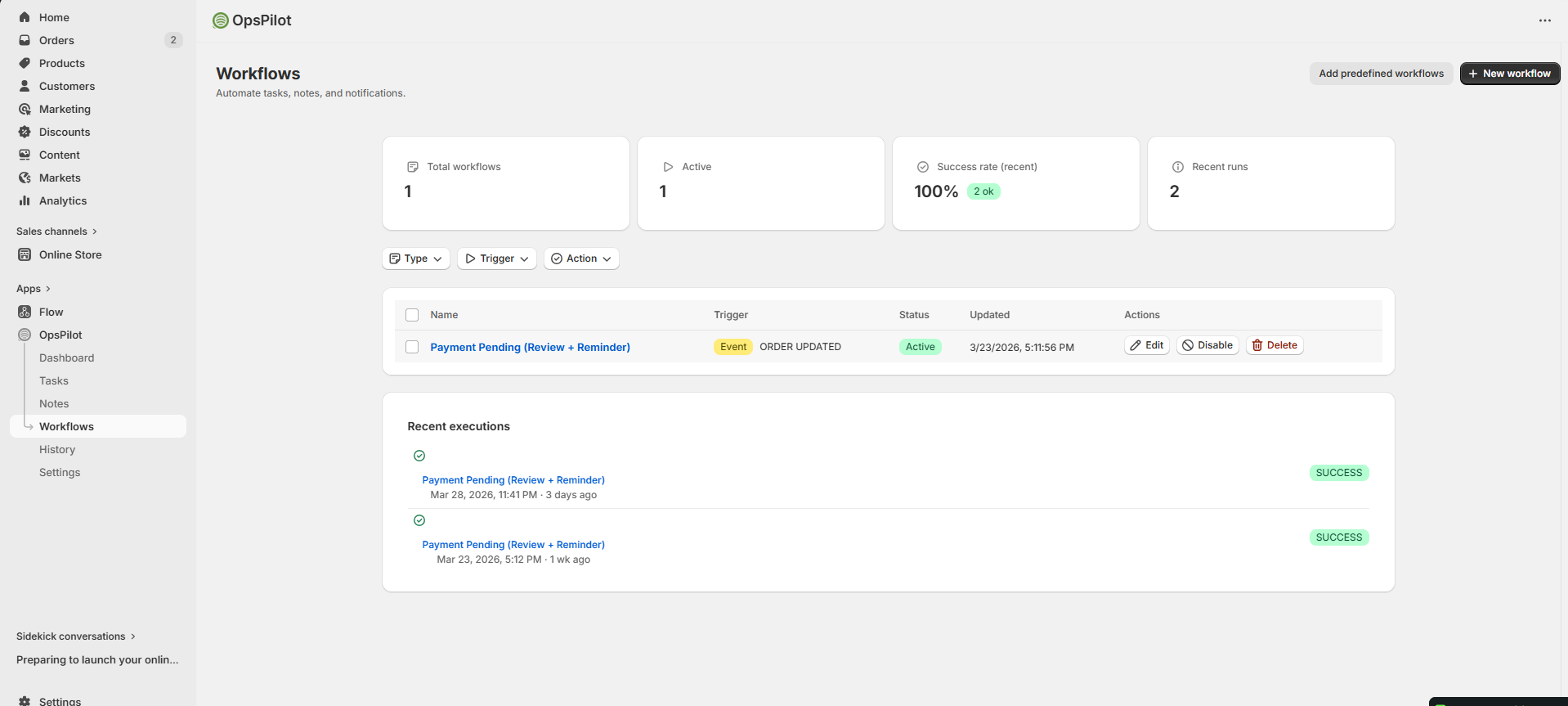
Understand total workflows, success rates, and usage limits.
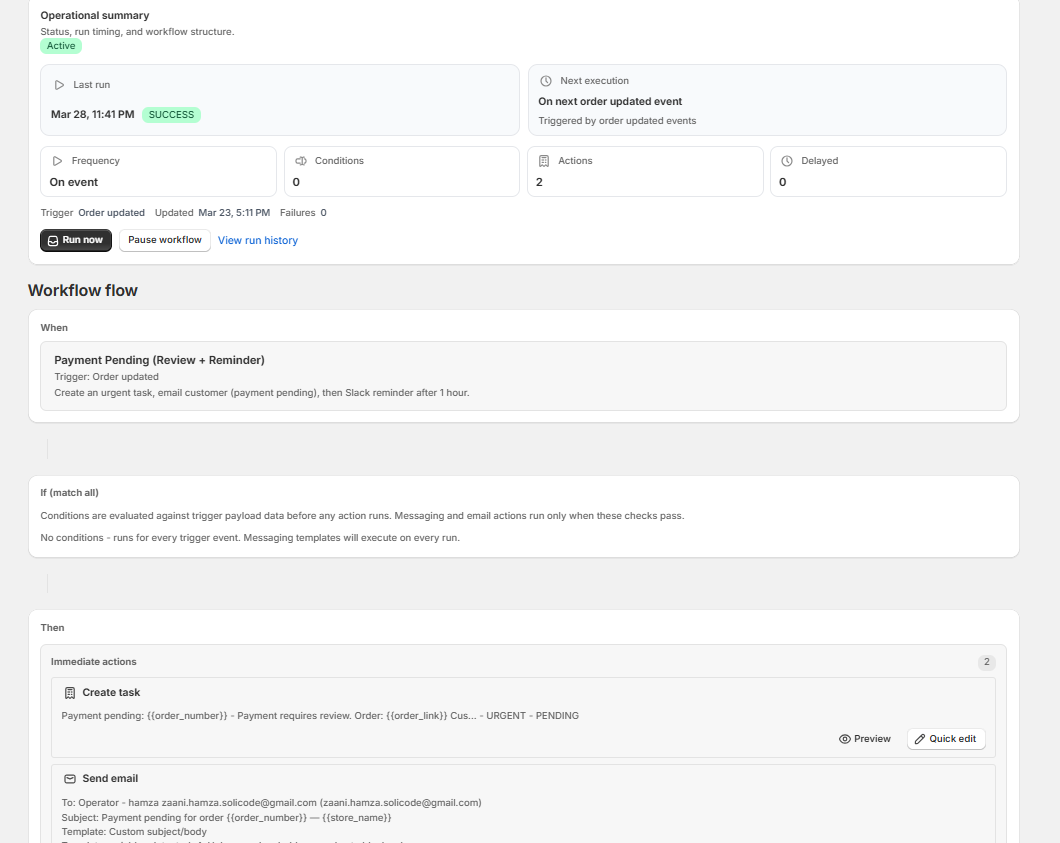
View execution history, test, and re-enable paused workflows.
General Questions
What is OpsPilot?
OpsPilot is a Shopify app that helps you manage store operations. It provides Notes to annotate orders, products, and customers; Tasks to track what needs to be done; and Workflows to automate repetitive actions.
Does OpsPilot work with all Shopify plans?
Yes. OpsPilot works with all Shopify plans (Basic, Shopify, Advanced, Plus).
Is my data secure?
Yes. OpsPilot uses encrypted connections, stores sensitive data in encrypted form, and follows security best practices. Your Shopify data is accessed through Shopify's official API with the permissions you approve.
Notes FAQ
How many notes can I create?
Unlimited.
Can I attach files to notes?
Yes. You can upload images, PDFs, and documents. See the Notes → Attaching Files guide for details.
Can I convert a note to a task?
Yes. Select notes and click Convert to Tasks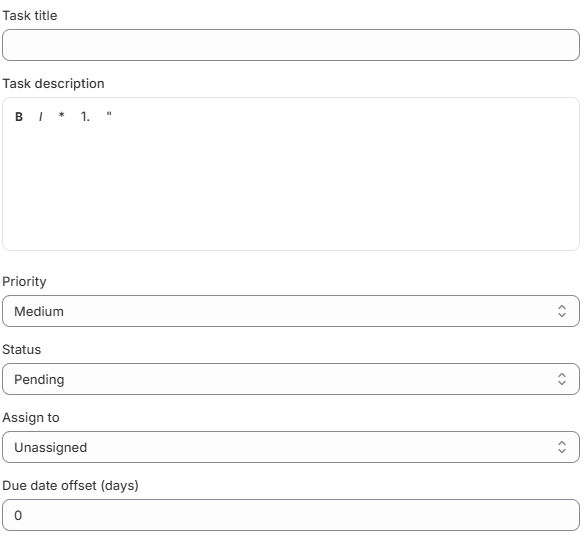
I deleted a note by mistake. Can I recover it?
Notes move to a soft-deleted state and can be restored. Check the note list for a "Deleted" filter.
Tasks FAQ
How do I change a task's status?
- Table View: Click the status badge on the task row
- Kanban View: Drag the task card to a different column
- Detail View: Open the task → Edit → change the status
Can I create custom task statuses?
Yes. Go to Settings → Task Statuses and click Add Status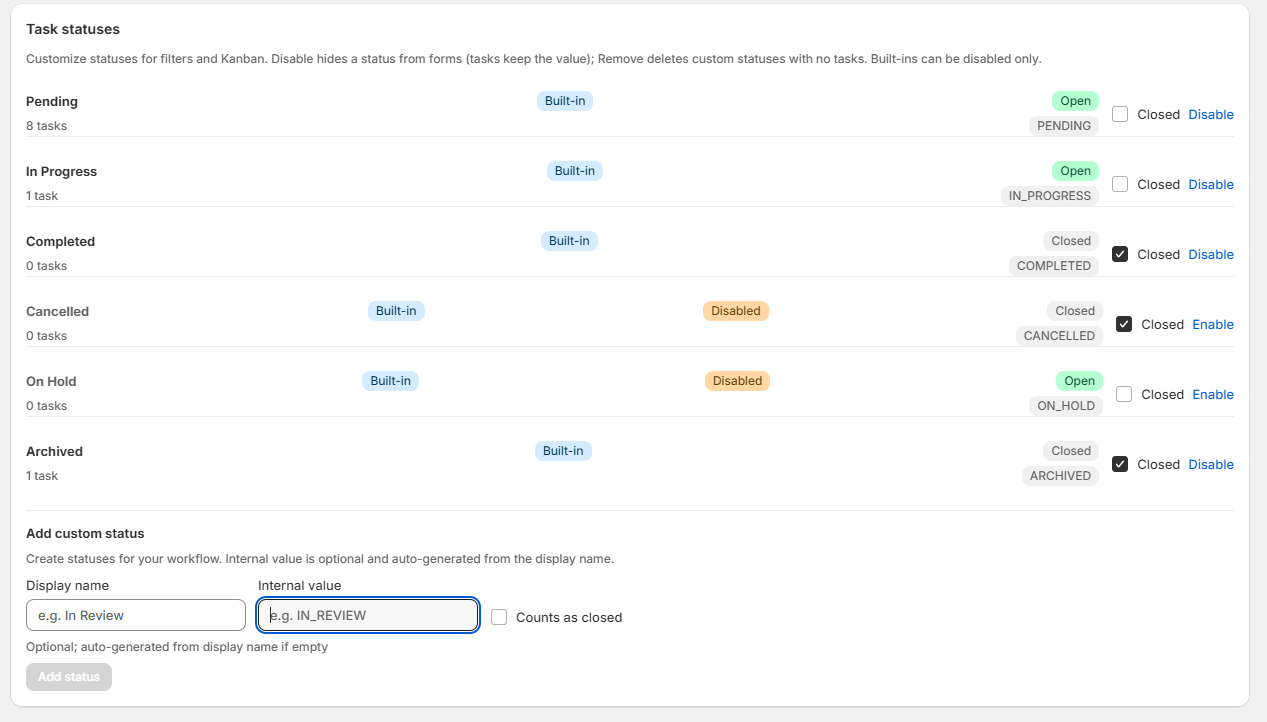
What's the difference between Table and Kanban view?
Table shows tasks in a spreadsheet-style list — good for sorting. Kanban shows cards on a board organized by status — good for visual tracking and drag-and-drop.
Workflows FAQ
My workflow isn't triggering. Why?
- Workflow is not active — Make sure the toggle is set to Active
- Conditions are too restrictive — Temporarily remove conditions to test
- Wrong trigger type — Verify the trigger matches the event you expect
- Usage limit reached — Check if you've hit your monthly run limit
- Paused due to failures — Check for a "Paused Due to Failure" badge
My workflow shows "Paused Due to Failure." How do I fix it?
This means the workflow failed 4 times in a row. Check the Execution History for error messages, fix the root cause, then click Re-enable
Can I test a workflow without waiting for a real event?
Yes. Open the workflow and click Test Workflow
What are template variables?
Template variables let you insert dynamic data into actions. For example, {{order_number}} inserts the actual order number. See the Template Variables guide for all variables.
Emails from my workflow aren't being sent. Why?
- Email integration not configured — Set up your domain in Settings
- Domain not verified — DNS records might not have propagated yet
- Email integration not connected — Complete Email setup in Settings
- Deduplication — Same email may have been sent in the last 24 hours