Advanced Troubleshooting

Last updated on 10 April 2026

Detailed error codes, root cause analysis, and step-by-step recovery for workflow, integration, and task issues.

Diagnose & Recover.
Step-by-step fixes for workflow failures, integration errors, and task issues.
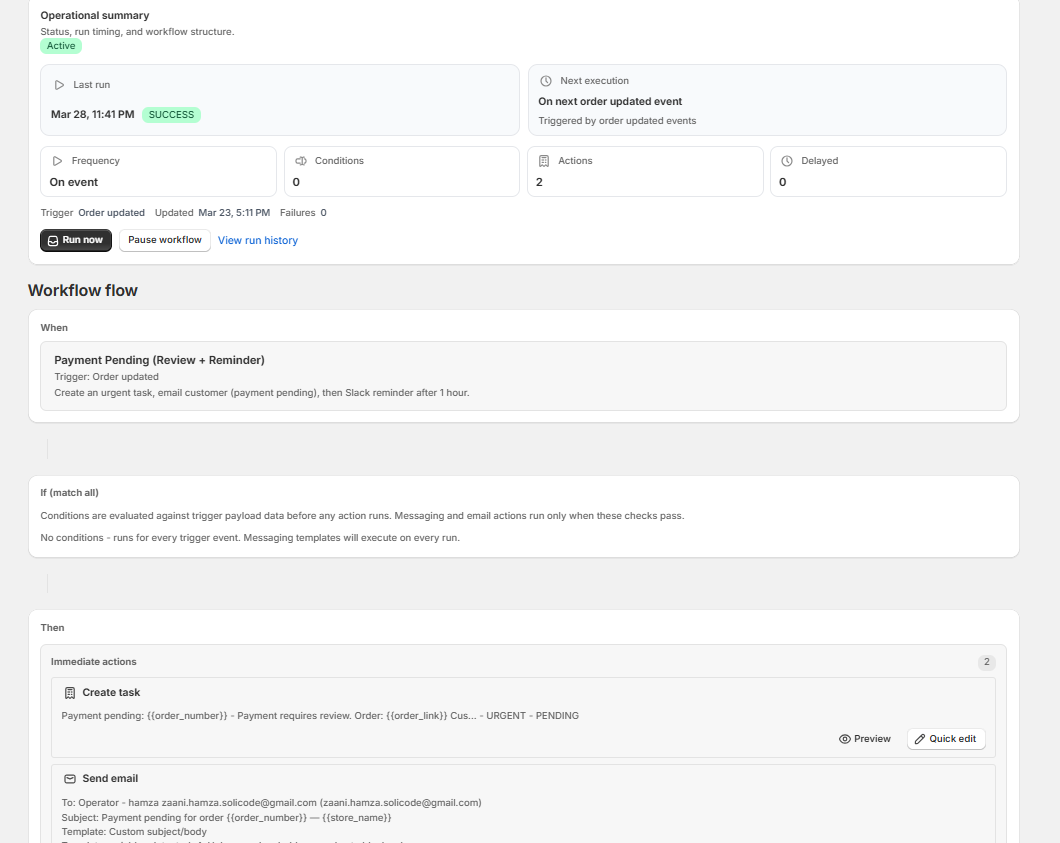
Workflow detail page with execution history
Workflow Errors

Identify FAILED, SKIPPED, and PAUSED states with root causes and fixes.

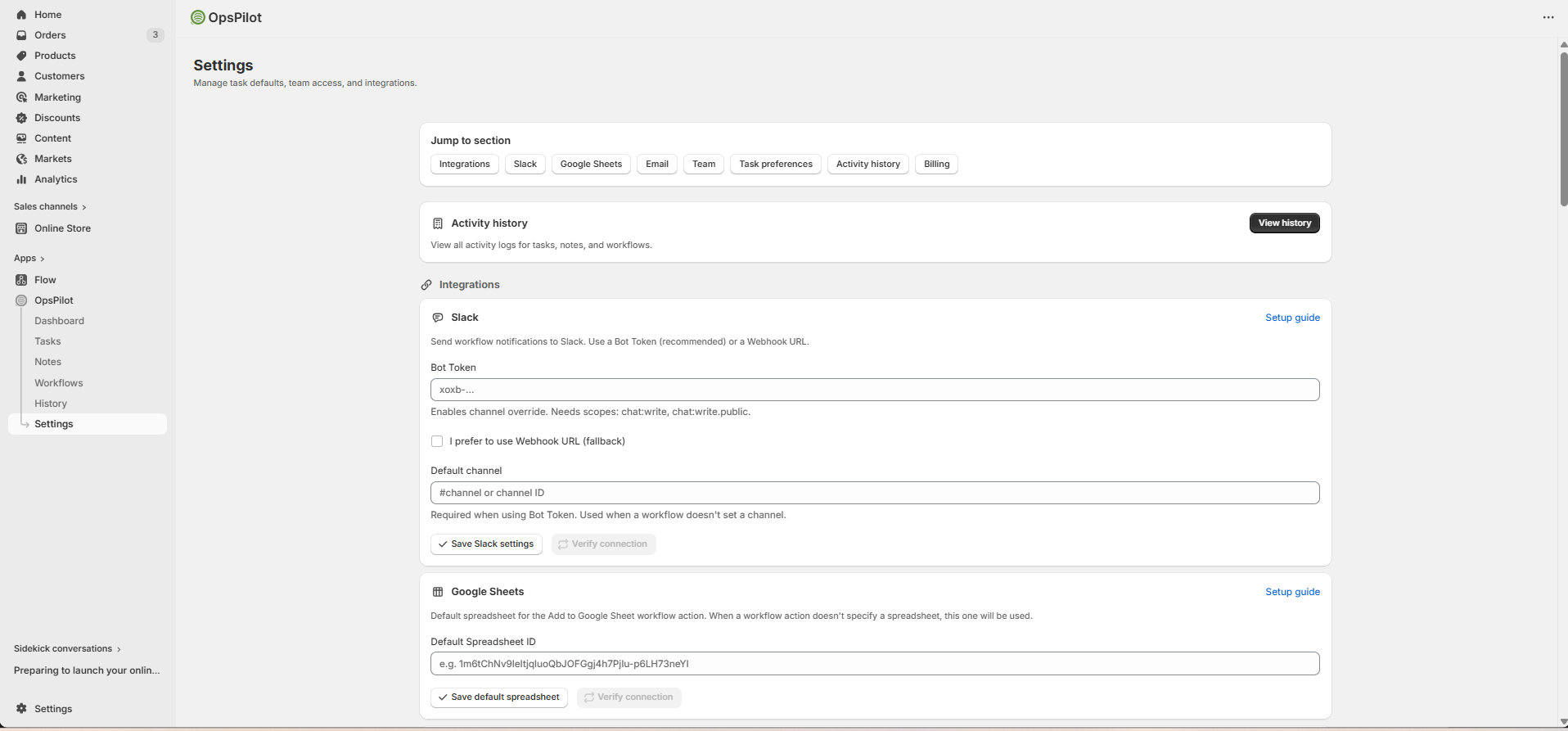
Settings page showing integration configuration
Integration Issues

Fix Slack, Email, and Google Sheets connection failures and auth errors.

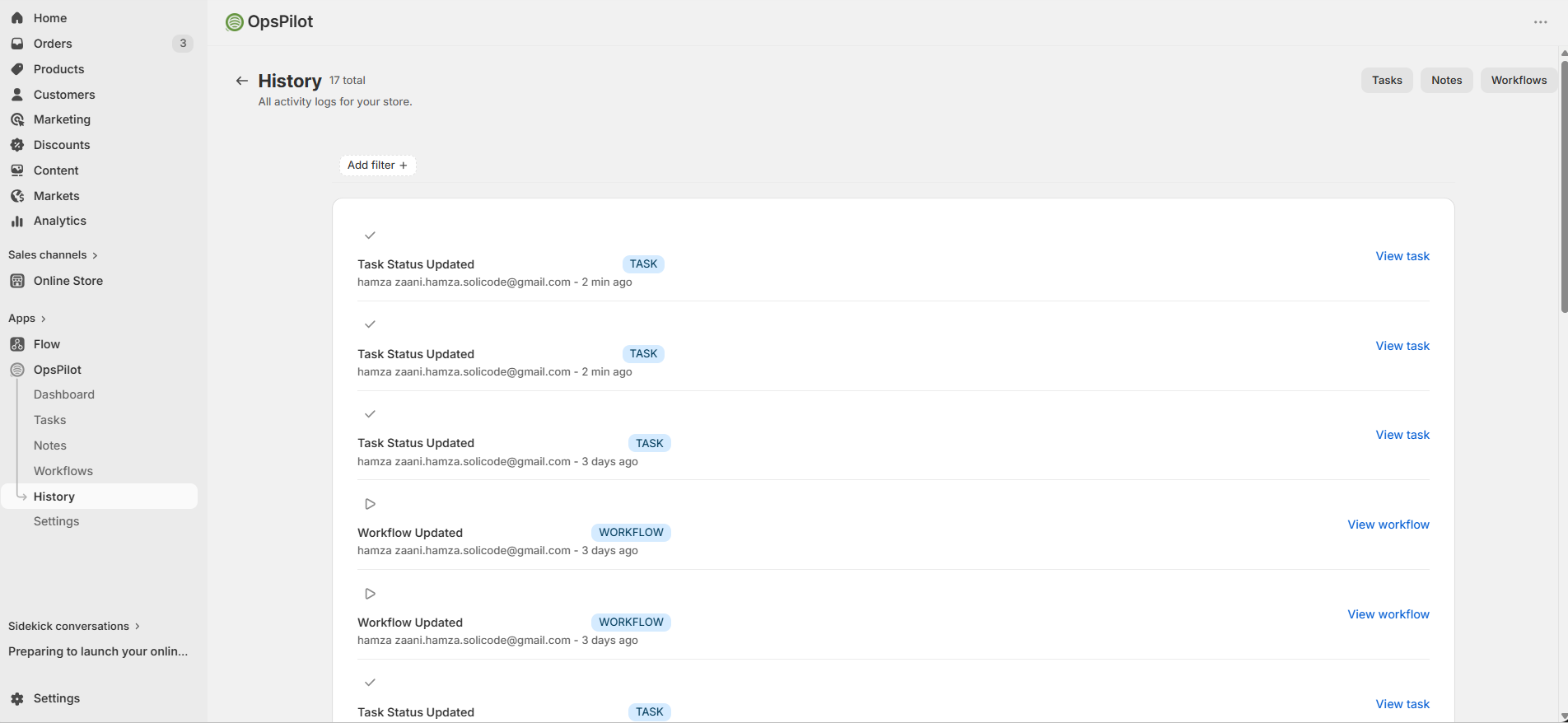
Activity history feed with action log entries
Activity Logs

Use the activity history to trace errors and pinpoint exactly what went wrong.

Start with the Activity History page to find specific error messages for a failed workflow run before diving into this guide.

Workflow Error States

Status: FAILED

A FAILED workflow encountered a permanent error that cannot be automatically retried. The workflow may auto-pause after 4 consecutive failures.

Error MessageRoot CauseFix
Invalid workflow definition The condition schema is malformed (e.g., corrupted after an edit) Open the workflow, re-save the conditions section, then re-enable
No active users in shop All team members are deactivated — the workflow engine cannot resolve the default user Go to Settings → Team Management and activate at least one user
Missing required integration credentials An action requires Slack, Email, or Sheets but the integration is not configured Go to Integrations and complete setup, then re-enable the workflow
Invalid email address The recipient email address in the action is malformed or uses comma-separated addresses Edit the action and use a single valid email address
Attachment >30MB An email attachment exceeds the 30MB size limit Remove large attachments or use a file-sharing link instead

Status: SKIPPED

A SKIPPED run is not an error — it means the workflow ran and determined it should not execute any actions. Common reasons:

ReasonHow to IdentifyAction
Conditions not met Activity log shows "Conditions not satisfied" Review your conditions — temporarily remove them to confirm the trigger is firing
Monthly run limit exceeded Log shows "Monthly quota exceeded" Upgrade your plan or wait for the quota to reset at the start of next month
Deduplication window active Log shows "Duplicate detected within 24h window" Expected behavior — same payload won't fire again for 24 hours. See Deduplication
All actions filtered by plan Log shows "Action skipped: plan restriction" Email, Slack, and Sheets actions require Starter or Growth. Upgrade or replace with Create Task
Workflow disabled/deleted before delayed execution Log shows "Workflow inactive at execution time" Re-enable the workflow; delayed actions already queued will be dropped
Recursive depth exceeded Log shows "Max workflow depth (2) reached" Avoid chaining workflows that trigger each other more than 2 levels deep
Invalid payload Log shows "Payload is not a valid object" This is a Shopify webhook delivery issue — usually self-correcting. Contact support if persistent

Paused Due to Failure

If a workflow fails 4 consecutive times, OpsPilot auto-pauses it to prevent repeated errors. The workflow shows a "Paused Due to Failure" badge.

Go to Workflows and find the paused workflow
Click into it and review the Execution History for the specific error message
Fix the root cause (update the action, configure the integration, fix the condition)
Click Re-enable to resume the workflow

Slack Integration Errors

ErrorCauseFix
Slack Bot Token is required No bot token configured in Settings Go to Integrations → Slack and add your bot token
Channel is required No channel set in the action or in Settings default Set a channel in the workflow action (e.g., #alerts) or set a default channel in Settings
The channel does not exist or the app is not in that channel Bot not invited to the channel, or channel name is wrong In Slack, invite the bot to the channel: /invite @YourBotName
Missing scope: chat:write.public Posting to a public channel requires chat:write.public scope Add chat:write.public to your Slack app's OAuth scopes and reinstall the app
Token not starting with xoxb- Wrong token type — must be a Bot User OAuth Token In Slack App settings → OAuth & Permissions, copy the Bot User OAuth Token (starts with xoxb-)
Empty channel name (just #) Channel name validation failed Enter the full channel name including the # prefix, e.g., #operations

Email Integration Errors

DNS & Domain Verification

SymptomCauseFix
Domain status: Pending DNS records not yet propagated (can take up to 48 hours) Wait and click Verify Domain again after 48 hours
Domain status: Failed DNS records are missing or incorrect at your registrar Double-check MX, SPF, DKIM, and DMARC records at your registrar match what OpsPilot generated
Sender domain unverified Trying to send before domain is verified Complete domain verification first (see Integrations → Email)
Domain already claimed by another shop Another OpsPilot store claimed the same domain Contact support to transfer domain ownership

Email Delivery

SymptomCauseFix
Email action SKIPPED: "plan restriction" Email actions require Starter or Growth plan Upgrade your plan
Action FAILED after multiple retries Email provider returned HTTP 5xx errors Usually transient — OpsPilot retries up to 3 times. If persistent, contact support
Recipient not receiving emails Emails may be in spam, or deduplication is active Check spam folder; check Activity History for dedup status; verify sender domain is correctly set up
Multiple recipients not supported Email field contains comma-separated addresses Use one email address per Send Email action; add multiple actions for multiple recipients
Do not enter multiple email addresses separated by commas or semicolons in the "Send to" field. This is a permanent failure — use separate Send Email actions for each recipient.

Google Sheets Errors

ErrorCauseFix
Missing Google Sheets service account configuration Service account JSON not configured on the server Contact your store admin — the GOOGLE_SHEETS_SERVICE_ACCOUNT_JSON environment variable needs to be set
Default spreadsheet not configured Action uses __DEFAULT__ token but no default spreadsheet ID is saved in Settings Go to Integrations → Google Sheets and save a default spreadsheet ID
Auth error / permission denied The spreadsheet is not shared with the service account email Open the Google Sheet, click Share, and add the service account email as an Editor
Missing column template A column in the action has no template value configured Edit the workflow action and fill in all column values (use template variables if needed)
Sheet not found → auto-created The target sheet name does not exist in the spreadsheet Not an error — OpsPilot creates the sheet automatically on first run. Verify the correct sheet name is configured in the action.

Task Errors

ErrorCauseFix
Task not created by workflow Workflow ran but conditions not met, or plan limit reached Check Activity History for the workflow run status and skip reason
Title is required Task title is empty or whitespace-only Ensure the task title field is not empty — use a template variable if needed
Assigned user inactive or not found The user the task is assigned to has been deactivated or removed Go to Settings → Team Management and check the user's active status
Bulk delete fails Only Admins can bulk-delete tasks Ask an Admin user to perform the bulk delete, or upgrade the user's role

Rate Limits & Quotas

LimitFREESTARTERGROWTH
Monthly workflow runsLow (env-configurable)5005,000
Active workflows1520
Actions per workflow21020
Dedup scan windowLast 24 hours, up to 100 execution logs
Delayed action batch per cron runUp to 100 actions
Email attachment max size30 MB total
Payload snapshot max size50 KB (truncated if larger)
Recursive workflow depthMax 2 levels
When the monthly run limit is exceeded, workflows are SKIPPED (not FAILED) and the skip is logged in Activity History. The quota resets at the start of each billing cycle.

Retry Logic

Not all failures are permanent. OpsPilot distinguishes between transient and permanent errors:

Error TypeBehaviorExamples
Transient (auto-retry) Retried up to 3 times with exponential backoff (300ms base + up to 200ms jitter) Email provider HTTP 429 (rate limit), HTTP 5xx server errors, temporary Slack API errors
Permanent (no retry) Logged as FAILED immediately, no retry Invalid email address, missing credentials, invalid workflow schema, attachment size violation
Skipped (not a failure) Logged as SKIPPED, no retry needed Conditions not met, quota exceeded, dedup window, plan restriction, operator user not found

Still Stuck?

Contact our support team at support@opspilot.app. Include the workflow name, the timestamp of the failed run from Activity History, and the error message — this helps us diagnose the issue faster.