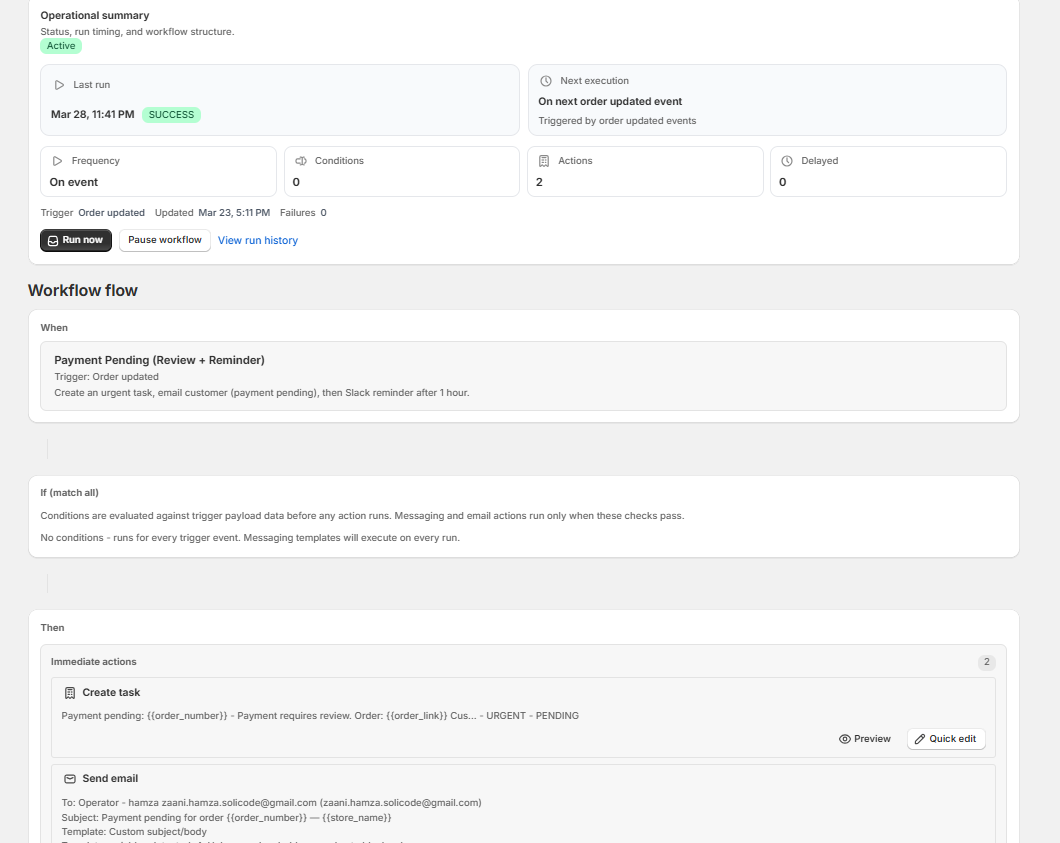
Template Variables
Insert dynamic data into your workflow actions — emails, Slack messages, task titles, note content, and Google Sheets rows. Wrap any variable in double curly braces: {{variable_name}}.
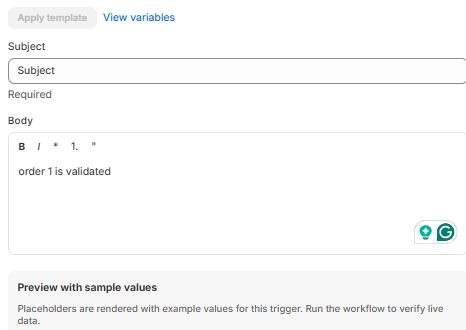
Use {{order_number}}, {{customer_name}}, and more inside emails, Slack messages, and tasks.
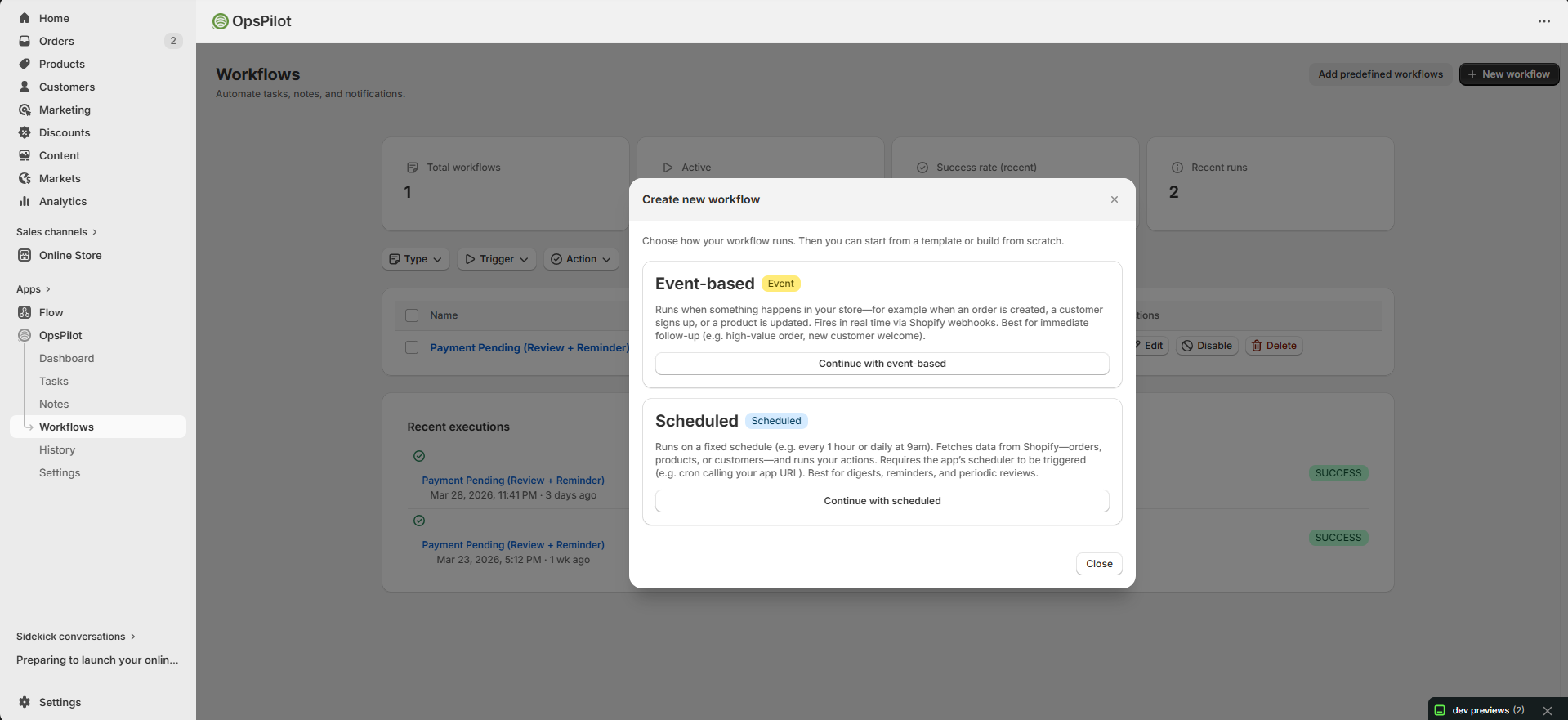
Global, Order, Customer, Product, Inventory, and Checkout variables — 50+ data points at your fingertips.
How to Use Template Variables
{{variable_name}}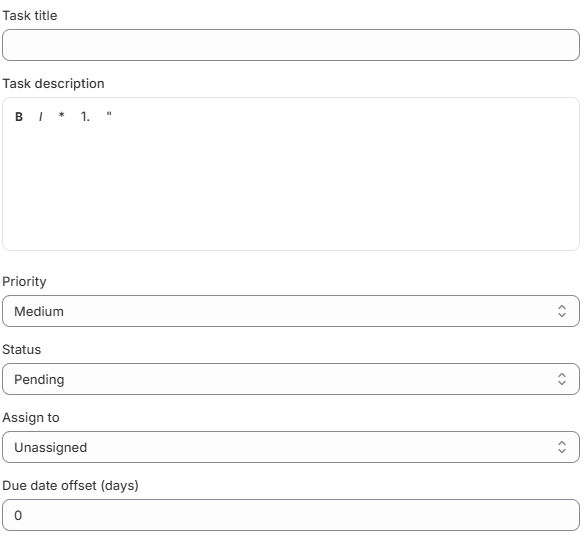
Task title and description fields support {{variables}}. Click the {} Variables button to browse and insert available variables for your trigger type.
Global Variables
Available in every trigger type.
| Variable | Description | Example Value |
|---|---|---|
{{store_name}} | Your Shopify store name | My Awesome Store |
{{store_domain}} | Your myshopify.com domain | my-awesome-store.myshopify.com |
{{event_timestamp}} | Date & time the event occurred | 2026-04-09T14:30:00Z |
{{event_type}} | The trigger event that fired | ORDER_CREATED |
{{workflow_name}} | Name of the workflow being executed | VIP Order Alert |
Order Variables
Available when the trigger is Order Created or Order Updated.
| Variable | Description | Example Value |
|---|---|---|
{{order_id}} | Shopify order ID | 5765432198765 |
{{order_number}} | Order number (display) | #1234 |
{{order_name}} | Full order name | #1234 |
{{order_total}} | Total price including tax & shipping | 149.99 |
{{order_subtotal}} | Subtotal before tax & shipping | 129.99 |
{{order_currency}} | Currency code | USD |
{{order_financial_status}} | Payment status | paid |
{{order_fulfillment_status}} | Fulfillment status | unfulfilled |
{{order_tags}} | Comma-separated order tags | vip, rush |
{{order_note}} | Order note left by customer | Please gift wrap |
{{order_link}} | Direct link to order in Shopify admin | https://admin.shopify.com/store/…/orders/123 |
{{order_created_at}} | Order creation timestamp | 2026-04-09T14:30:00Z |
{{order_item_count}} | Number of line items | 3 |
{{order_discount_total}} | Total discount amount | 10.00 |
{{order_shipping_method}} | Shipping method name | Standard Shipping |
{{order_shipping_address}} | Full shipping address | 123 Main St, New York, NY 10001 |
{{order_billing_address}} | Full billing address | 123 Main St, New York, NY 10001 |
{{order_payment_method}} | Payment gateway used | shopify_payments |
Customer Variables
Available for Customer Created and all Order triggers (pulled from the order’s customer).
| Variable | Description | Example Value |
|---|---|---|
{{customer_id}} | Shopify customer ID | 7654321098765 |
{{customer_name}} | Full name (first + last) | Jane Smith |
{{customer_first_name}} | First name | Jane |
{{customer_last_name}} | Last name | Smith |
{{customer_email}} | Email address | jane@example.com |
{{customer_phone}} | Phone number | +1 555-0100 |
{{customer_tags}} | Comma-separated customer tags | vip, wholesale |
{{customer_orders_count}} | Total number of orders placed | 12 |
{{customer_total_spent}} | Lifetime spending | 1,249.50 |
{{customer_created_at}} | Account creation date | 2025-01-15T10:00:00Z |
{{customer_note}} | Internal note on customer | Prefers express shipping |
{{customer_link}} | Link to customer in Shopify admin | https://admin.shopify.com/store/…/customers/123 |
Product Variables
Available when the trigger is Product Updated.
| Variable | Description | Example Value |
|---|---|---|
{{product_id}} | Shopify product ID | 8765432109876 |
{{product_title}} | Product name | Classic T-Shirt |
{{product_type}} | Product type | Apparel |
{{product_vendor}} | Vendor / brand | My Brand |
{{product_tags}} | Comma-separated product tags | sale, summer |
{{product_status}} | Product status | active |
{{product_price}} | Default variant price | 29.99 |
{{product_compare_at_price}} | Compare-at price (original) | 39.99 |
{{product_sku}} | Default variant SKU | TSHIRT-BLK-M |
{{product_inventory_quantity}} | Total inventory count | 254 |
{{product_link}} | Link to product in Shopify admin | https://admin.shopify.com/store/…/products/123 |
{{product_image_url}} | URL of the product’s featured image | https://cdn.shopify.com/…/shirt.jpg |
{{product_created_at}} | Product creation timestamp | 2025-06-01T08:00:00Z |
{{product_updated_at}} | Last updated timestamp | 2026-04-09T14:30:00Z |
Inventory Variables
Available when the trigger is Inventory Level Updated.
| Variable | Description | Example Value |
|---|---|---|
{{inventory_item_id}} | Shopify inventory item ID | 9876543210987 |
{{inventory_location_id}} | Location ID where change occurred | 1234567890 |
{{inventory_available}} | Available quantity after change | 5 |
{{inventory_previous_quantity}} | Quantity before the change | 25 |
{{inventory_change}} | Quantity difference (+/−) | -20 |
{{product_title}} | Product name (from linked product) | Classic T-Shirt |
{{product_sku}} | SKU of the variant | TSHIRT-BLK-M |
{{product_link}} | Link to product in Shopify admin | https://admin.shopify.com/store/…/products/123 |
Checkout Variables
Available when the trigger is Checkout Abandoned.
| Variable | Description | Example Value |
|---|---|---|
{{checkout_id}} | Shopify checkout ID | 3456789012345 |
{{checkout_token}} | Checkout token | abc123def456 |
{{checkout_total}} | Cart total price | 89.99 |
{{checkout_currency}} | Currency code | USD |
{{checkout_item_count}} | Number of items in cart | 2 |
{{checkout_abandoned_url}} | Recovery URL for the checkout | https://my-store.myshopify.com/checkouts/… |
{{checkout_created_at}} | When the checkout was started | 2026-04-09T12:00:00Z |
{{customer_name}} | Customer name (if provided) | Jane Smith |
{{customer_email}} | Customer email (if provided) | jane@example.com |
Scheduled Trigger Variables
Available when the trigger is Scheduled. Scheduled workflows process multiple entities per run.
| Variable | Description | Example Value |
|---|---|---|
{{schedule_type}} | Schedule interval | daily |
{{entity_count}} | Number of entities processed in this run | 12 |
{{store_name}} | Your store name | My Awesome Store |
{{event_timestamp}} | Execution timestamp | 2026-04-09T00:00:00Z |
Variable Availability by Trigger
Quick reference showing which variable groups are available for each trigger type.
| Trigger | Global | Order | Customer | Product | Inventory | Checkout |
|---|---|---|---|---|---|---|
| Order Created | ✓ | ✓ | ✓ | — | — | — |
| Order Updated | ✓ | ✓ | ✓ | — | — | — |
| Customer Created | ✓ | — | ✓ | — | — | — |
| Product Updated | ✓ | — | — | ✓ | — | — |
| Inventory Updated | ✓ | — | — | ✓ | ✓ | — |
| Checkout Abandoned | ✓ | — | ✓ | — | — | ✓ |
| Manual Trigger | ✓ | ✓* | ✓* | ✓* | — | — |
| Scheduled | ✓ | ✓* | ✓* | ✓* | — | — |
* Depends on the entity type selected when configuring the workflow.
Where You Can Use Variables
| Action | Supported Fields |
|---|---|
| Send Email | Subject, Body, Recipient (custom address) |
| Send Slack Message | Message text |
| Add to Google Sheet | All column values |
| Create Task | Title, Description |
| Create Note | Content |
Tips & Best Practices
New order {{order_number}} from {{customer_name}} — total: {{order_currency}} {{order_total}}
{{product_title}} in an Order Created workflow will be blank.