Notes
Add comments, instructions, and context to your Shopify orders, products, and customers. Like sticky notes for your store data.
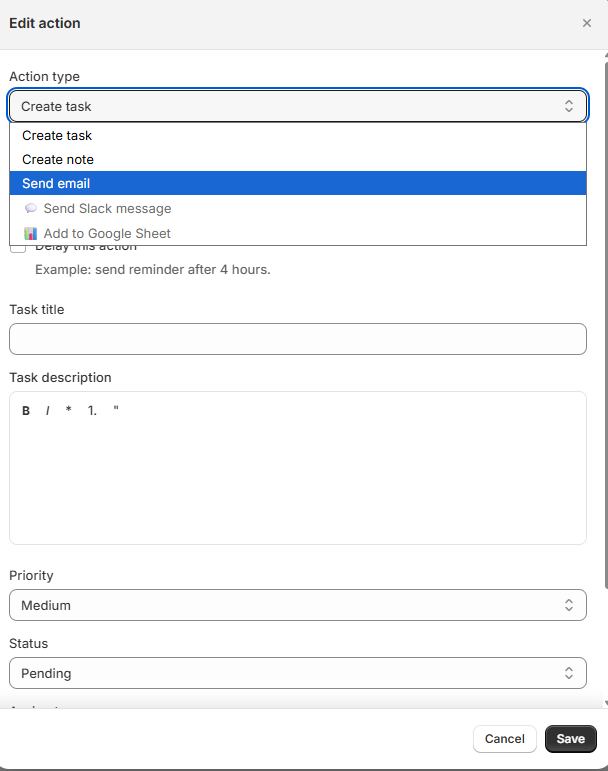
Workflows can automatically create notes when store events fire — choose "Create note" from the action type dropdown.
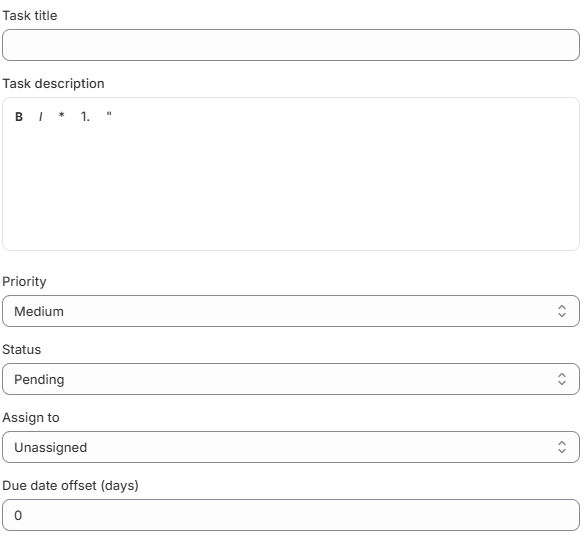
Convert any note into a tracked task — title, description, priority, status, and assignee carry over automatically.
What Are Notes?
Notes let you add comments, instructions, and context to your Shopify data that your whole team can see. Think of them as sticky notes attached to your store records.
- "Customer requested gift wrapping" attached to an Order
- "Restock by Friday, supplier: ABC Inc." attached to a Product
- "VIP customer, always offer free shipping" attached to a Customer
- "Weekly team meeting agenda" as a standalone note (not attached to anything)
Creating a Note
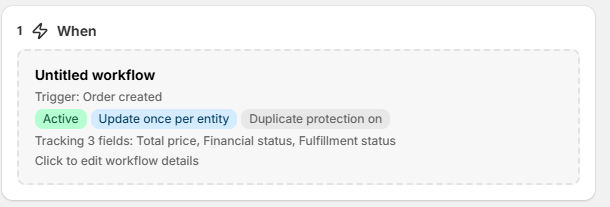
A store event occurs (new order, updated product, etc.)
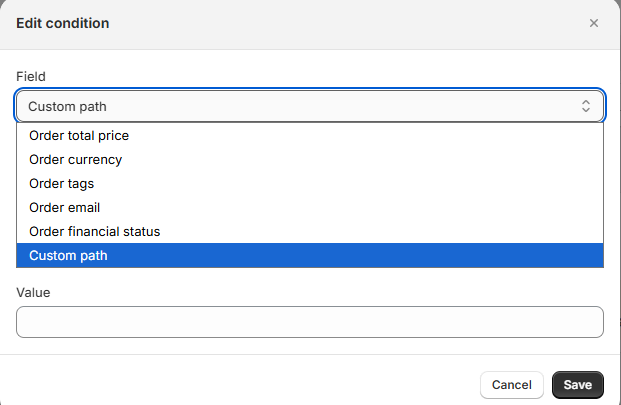
Filter by order total, tags, status, or custom fields.
A note is auto-created and attached to the triggering entity.
Rich Text Formatting
The note editor supports:
- Bold and Italic text
- Bullet lists and numbered lists
- Blockquotes
- Code blocks
Attaching Files
You can upload files to any note — great for images, PDFs, or documents.
Supported files: PNG, JPG, GIF, WebP, PDF, DOC, DOCX, TXT, XLS, XLSX, CSV
Viewing & Editing Notes
The Notes page shows all your notes in a table with title, content preview, entity info, author, and date. Click any note to open its detail view.
Pinning Notes
Pin important notes so they always appear at the top of your list. Use the pin action on any note to pin or unpin it.
Converting Notes to Tasks
Turn notes into actionable tasks with one click:
Converted tasks include title, rich-text description, priority level, status, assignee, and due date offset.
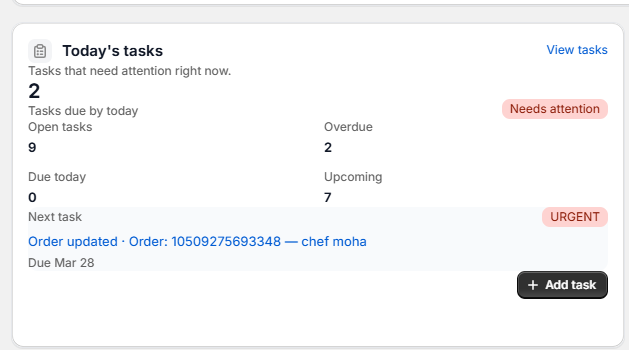
Converted tasks appear in the "Today's tasks" dashboard card alongside manually created and workflow-generated tasks.
Searching & Filtering
| Filter | Options |
|---|---|
| Entity Type | All, Orders, Products, Customers, Standalone |
| Author | Filter by team member who created the note |
| Date Range | Filter by creation date |
Notes on Entity Pages (Shopify Extension)
OpsPilot adds a quick action button to your Shopify order, product, and customer pages. Click it to quickly create a note attached to that entity — without leaving the page!